Meetings have a habit of disappearing the moment the call ends. The decisions blur, the useful detail is buried somewhere in thirty minutes of conversation, and somebody still has to turn it all into notes. Tape is my answer to that: a free meeting recorder for Mac that captures both sides of a call, turns the audio into a searchable transcript, writes the summary, and keeps the whole process on your own machine.
From a call to something useful
Tape records your microphone and the Mac’s system audio as separate clean tracks, so it works with Zoom, Teams, Google Meet, WhatsApp, or anything else that makes sound. You can start it from the menu bar or a global shortcut, and meeting detection can offer to record when a call begins. Once the meeting ends, on-device speech models create a speaker-separated, timestamped transcript without sending the conversation to a transcription service.
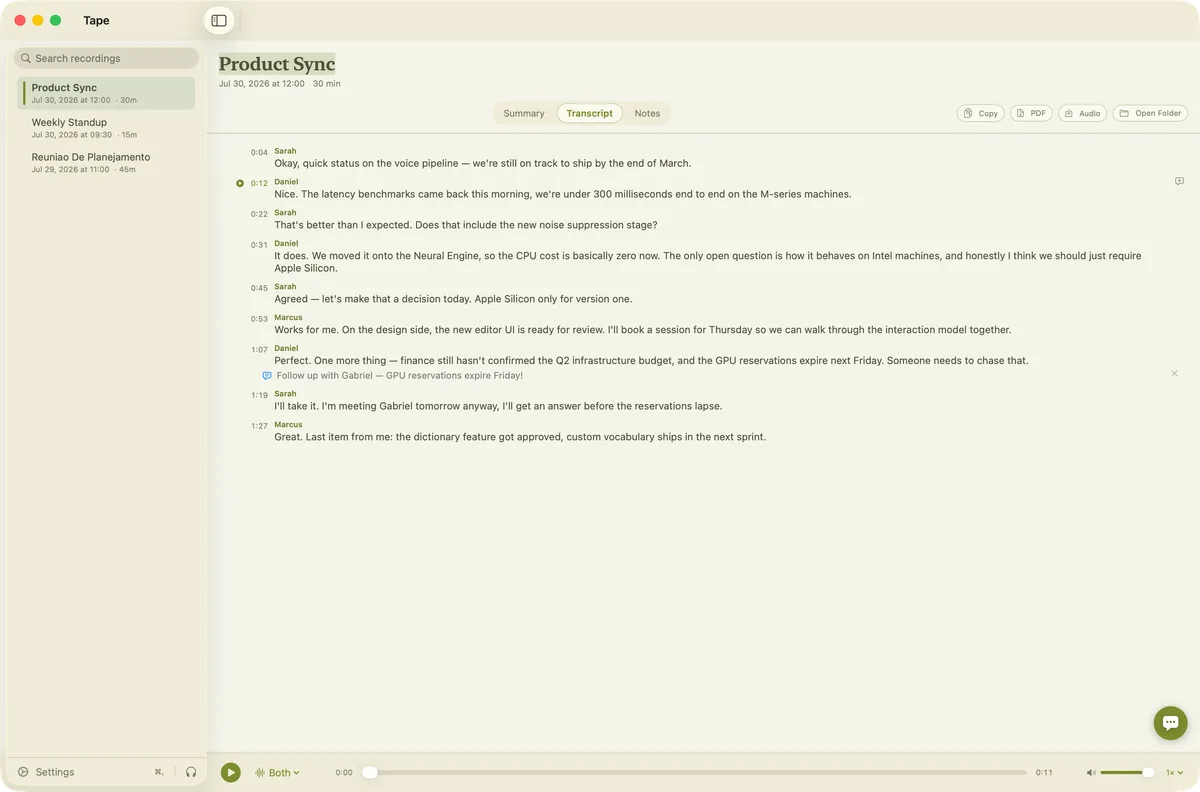
A transcript you can listen to, annotate and export
The transcript is not a dead wall of text. Click a sentence and Tape jumps to that moment in the recording; switch between your microphone, the system audio, or the merged track as it plays. Notes live beside the transcript, comments can be pinned to an exact line and timestamp, and every recording remains searchable from the library. When you need to take the result somewhere else, you can copy the transcript or summary, export a PDF, save the meeting audio, or open the underlying folder directly. The files are ordinary Markdown, JSON and audio rather than data trapped in a private database.
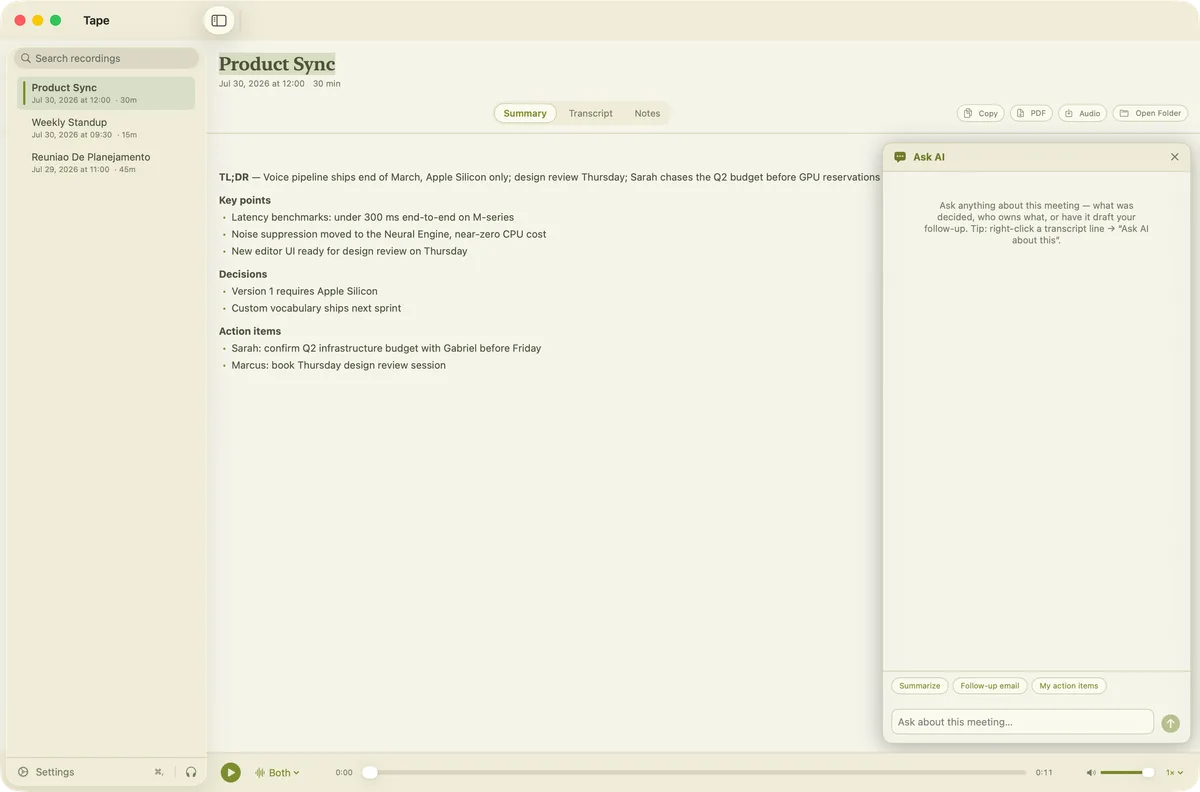
Summaries and AI chat, entirely on your Mac
When transcription finishes, Tape automatically produces a TL;DR, key points, decisions and action items. The built-in AI chat lets you ask the meeting what was decided, who owns a task, or what matters to you specifically. It can also draft a follow-up email from the conversation instead of making you reconstruct one from memory. The transcription, summary and chat models all run locally on Apple Silicon; after the models have downloaded once, your recordings stay on your Mac and the core workflow works offline.
Free, private and ready to download
Tape is free, with no account and no subscription. It runs on Apple Silicon Macs with macOS 15 or later. You can see the full feature tour and download the app at tape.danielandrade.info.